 MailCode
Years of mail, on your own disk.
MailCode
Years of mail, on your own disk.
MailCode
Years of mail, on your own disk.
MailCode
Years of mail, on your own disk.
Tips › Import
Apple Mail exports a mailbox as an .mbox folder. MailCode reads those
exports, files each mailbox into its local archive as a folder named after it, and makes
every message searchable with the rest of your mail — readable without Apple Mail, and
without the Mac it came from.
.mbox into it for
each mailbox..mbox files, not one of
them, so each mailbox keeps its name.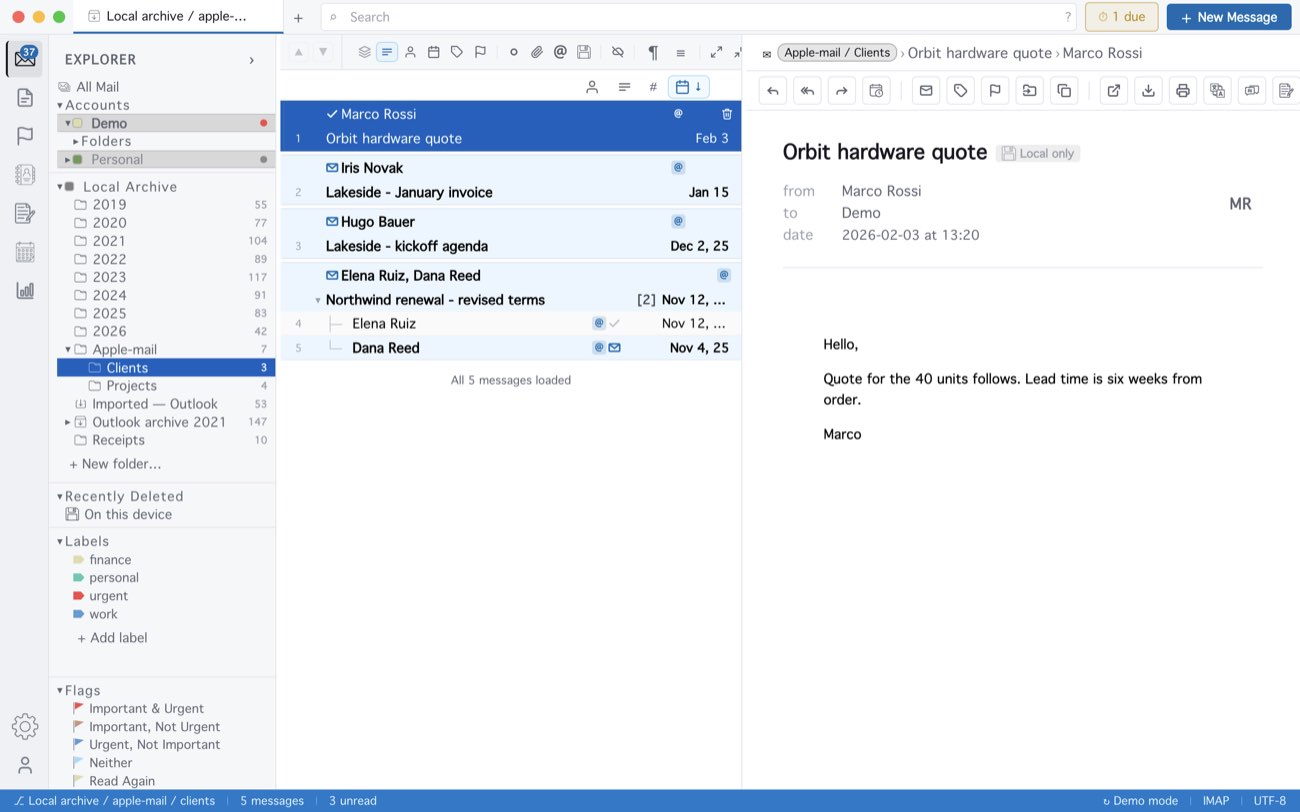
Mail already in the archive is skipped, so a later export can be indexed into the
same folder without doubling anything. MailCode can also read Apple Mail’s own library,
~/Library/Mail, but macOS guards that folder — if MailCode finds no mail
there, export instead. A message Apple Mail had only partly downloaded comes across with
its text but without its attachments. Thunderbird’s mailbox files are read the same way.
In MailCode 1.14.0 this needs a mail account added first; the next update imports without
one.
MailCode is a mail client for Mac and Windows that keeps your mail in a searchable archive on your own disk. Free for 14 days.
Mac App Store Download for Windows