 MailCode
Years of mail, on your own disk.
MailCode
Years of mail, on your own disk.
MailCode
Years of mail, on your own disk.
MailCode
Years of mail, on your own disk.
Tips › Accounts
Most companies on Microsoft 365 have SMTP AUTH switched off — the way most mail apps
send. Mail still arrives, but every send comes back 535 5.7.139, and signing
in again changes nothing, because nothing is wrong with the sign-in. MailCode can send
through Microsoft Graph instead, which that switch does not touch: one permission, and
in most companies no administrator.
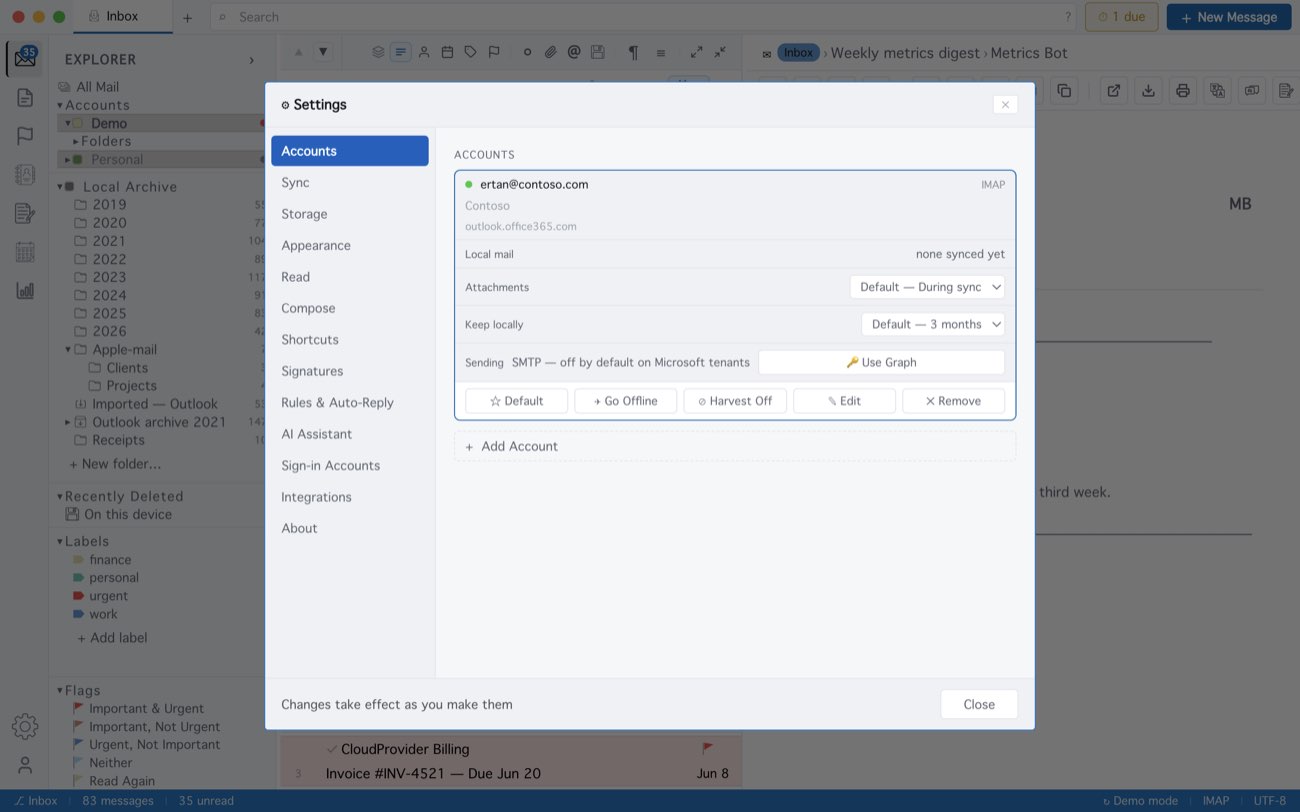
If Microsoft answers that an administrator has to approve, your company does not let people grant apps permissions themselves; that is the one case that needs IT. Graph takes a message of up to 4 MB, so MailCode offers to send larger files as a link. Microsoft files the copy in Sent Items itself. A mailbox added as Exchange server (EWS) sends through Exchange and never meets this error.
MailCode is a mail client for Mac and Windows that keeps your mail in a searchable archive on your own disk. Free for 14 days.
Mac App Store Download for Windows