 MailCode
Years of mail, on your own disk.
MailCode
Years of mail, on your own disk.
MailCode
Years of mail, on your own disk.
MailCode
Years of mail, on your own disk.
Tips › Compose
On a company Exchange server, a message sent too soon can still be called back from colleagues who have not read it. MailCode sends Exchange the same recall request Outlook does, and says plainly what it can and cannot reach.
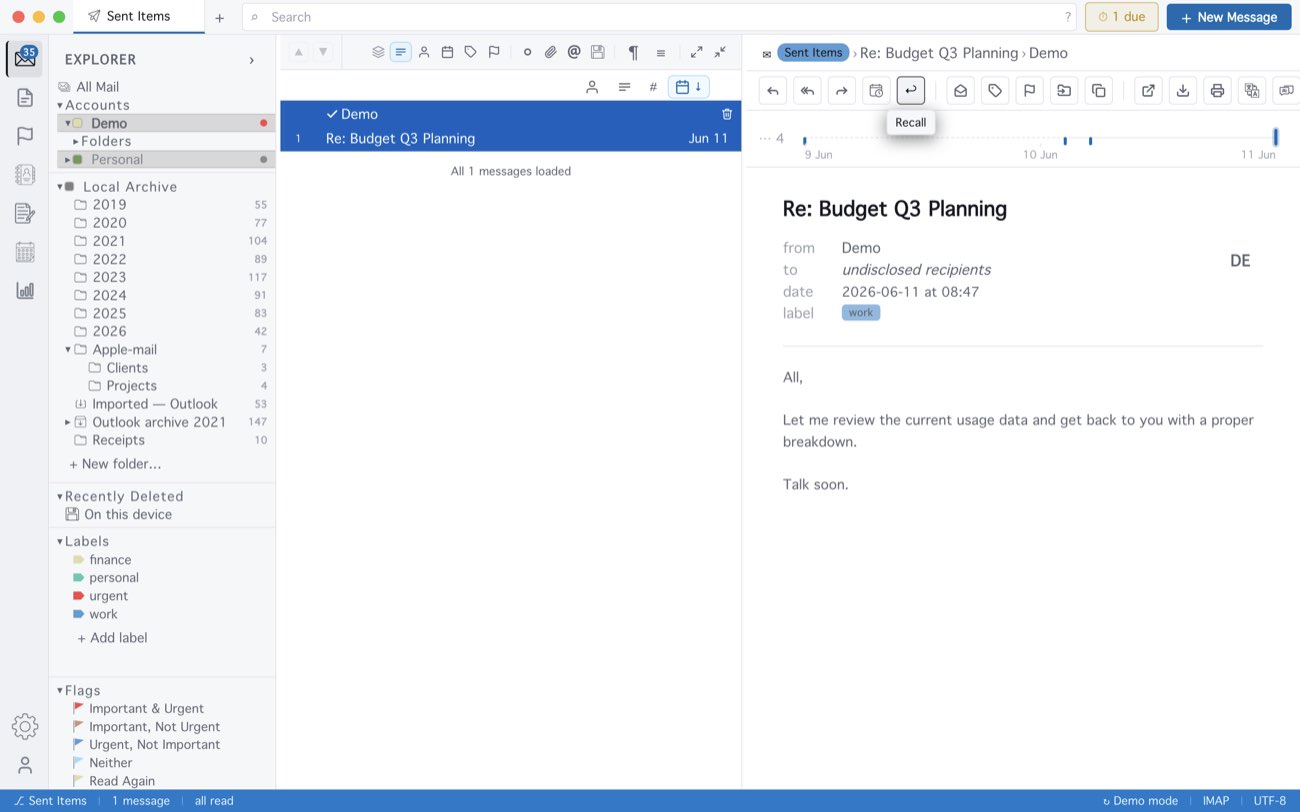
Recall works only for an account added as Exchange server (EWS), and only inside your own organisation: mail that left it cannot be called back, and a copy already read stays. The other way round, Settings ▸ Sync ▸ Honour recall requests moves a message a colleague recalls to Deleted Items — if it came from them and you have not read it.
MailCode is a mail client for Mac and Windows that keeps your mail in a searchable archive on your own disk. Free for 14 days.
Mac App Store Download for Windows