 MailCode
Years of mail, on your own disk.
MailCode
Years of mail, on your own disk.
MailCode
Years of mail, on your own disk.
MailCode
Years of mail, on your own disk.
Tips › Storage
Empty Deleted Items, or delete a message permanently, and it is not gone at once: Exchange keeps it for a while in Recoverable Items, a hidden part of the mailbox. MailCode lists what is in there and puts it back in your Inbox.
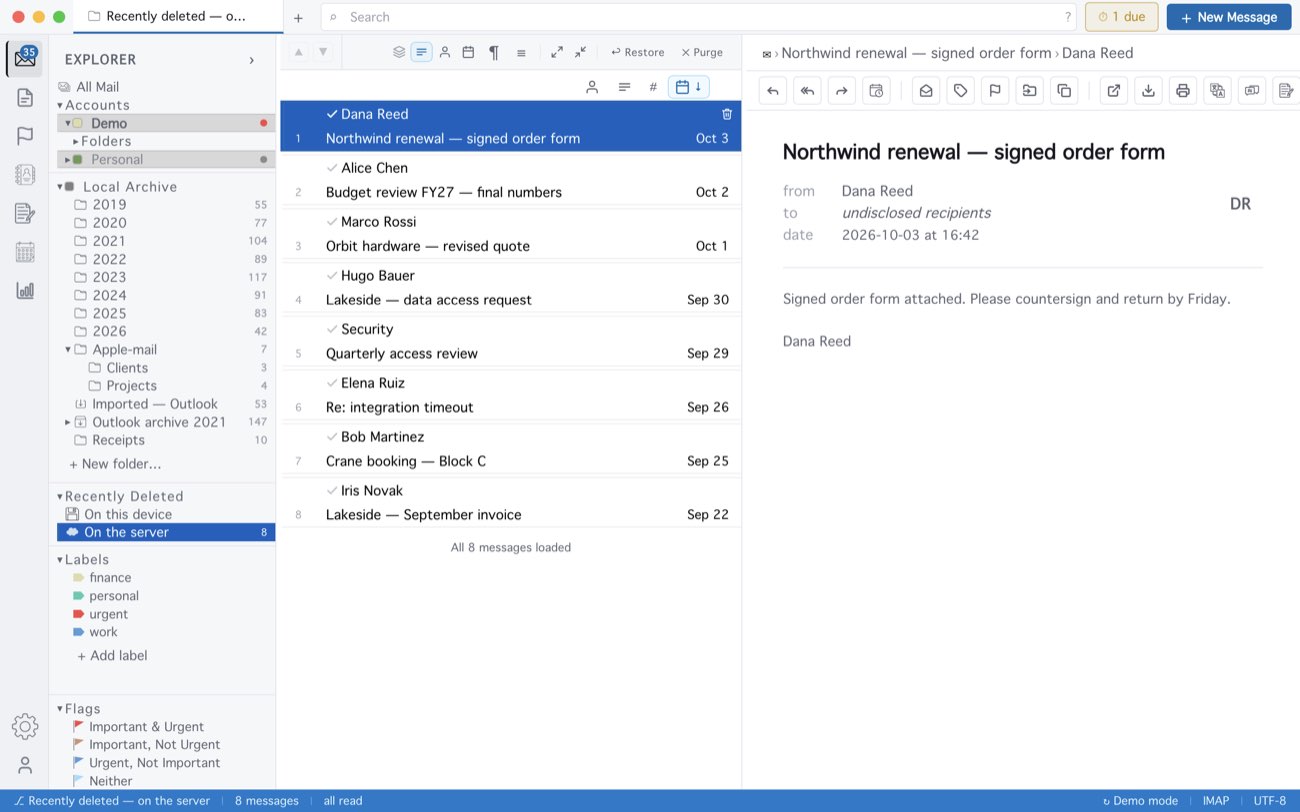
How long Exchange keeps deleted mail is your server’s setting — 14 days in Microsoft 365 unless it has been changed. If the list says the mailbox does not allow access, your administrator has turned it off. With nothing selected, Restore restores everything listed. On this device, beside it, holds MailCode’s own copies of mail it deleted for good, attachments included, for 30 days: that works with no server and on IMAP accounts too, though it puts mail back into the local archive rather than the mailbox.
MailCode is a mail client for Mac and Windows that keeps your mail in a searchable archive on your own disk. Free for 14 days.
Mac App Store Download for Windows