 MailCode
Years of mail, on your own disk.
MailCode
Years of mail, on your own disk.
MailCode
Years of mail, on your own disk.
MailCode
Years of mail, on your own disk.
Tips › Calendar
The invitation went out without the join link. Sending a second mail splits the meeting in two; editing it in Outlook often re-sends the whole agenda. MailCode’s Update Meeting sends only what changed.
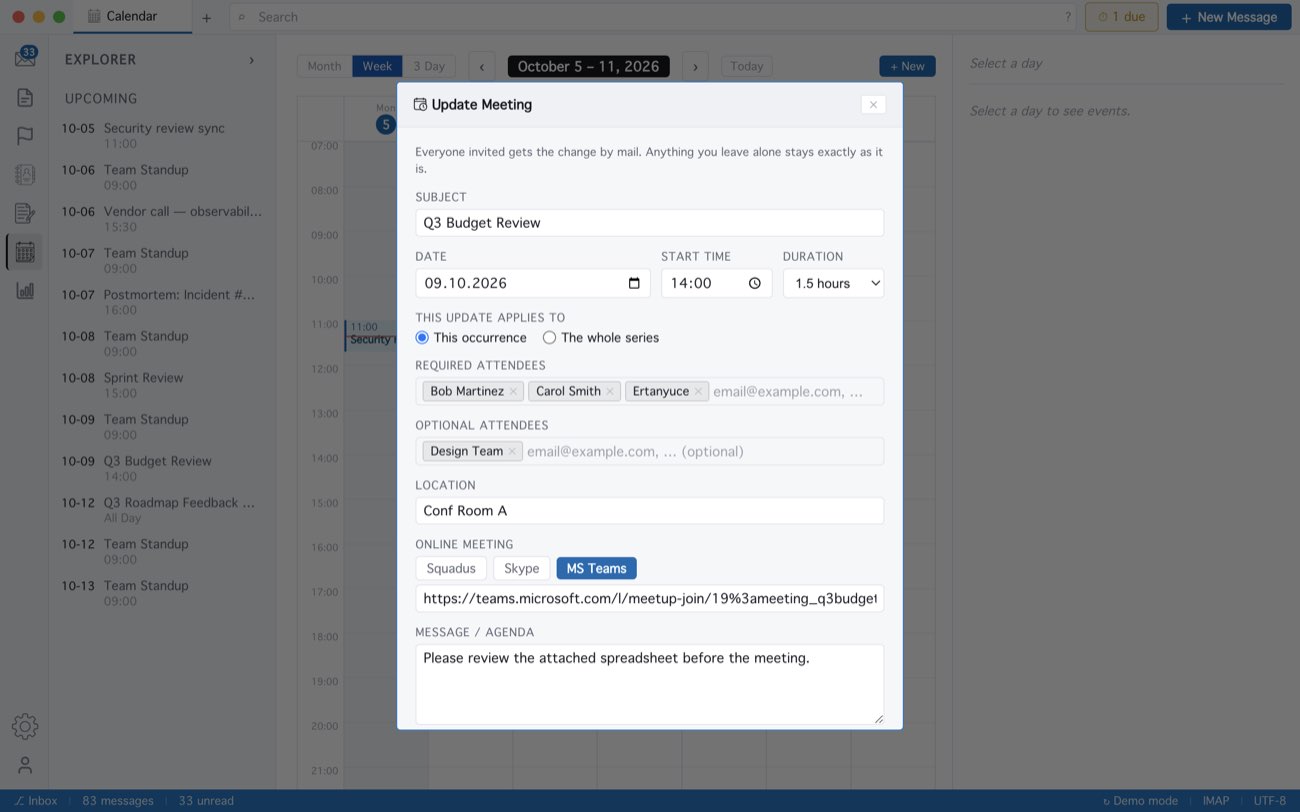
Fields you leave alone are not sent at all; with nothing changed the form says Nothing changed yet. The link goes at the top of the meeting text, above anything already there. This is for meetings in an Exchange or Microsoft 365 calendar, where Exchange mails the update itself.
MailCode is a mail client for Mac and Windows that keeps your mail in a searchable archive on your own disk. Free for 14 days.
Mac App Store Download for Windows