 MailCode
Years of mail, on your own disk.
MailCode
Years of mail, on your own disk.
MailCode
Years of mail, on your own disk.
MailCode
Years of mail, on your own disk.
Tips › Compose
A list of things to do reads better with boxes beside it. MailCode has a checklist next to bullets and numbers: click a box and the item is ticked and struck through, and the recipient sees the boxes as you sent them.
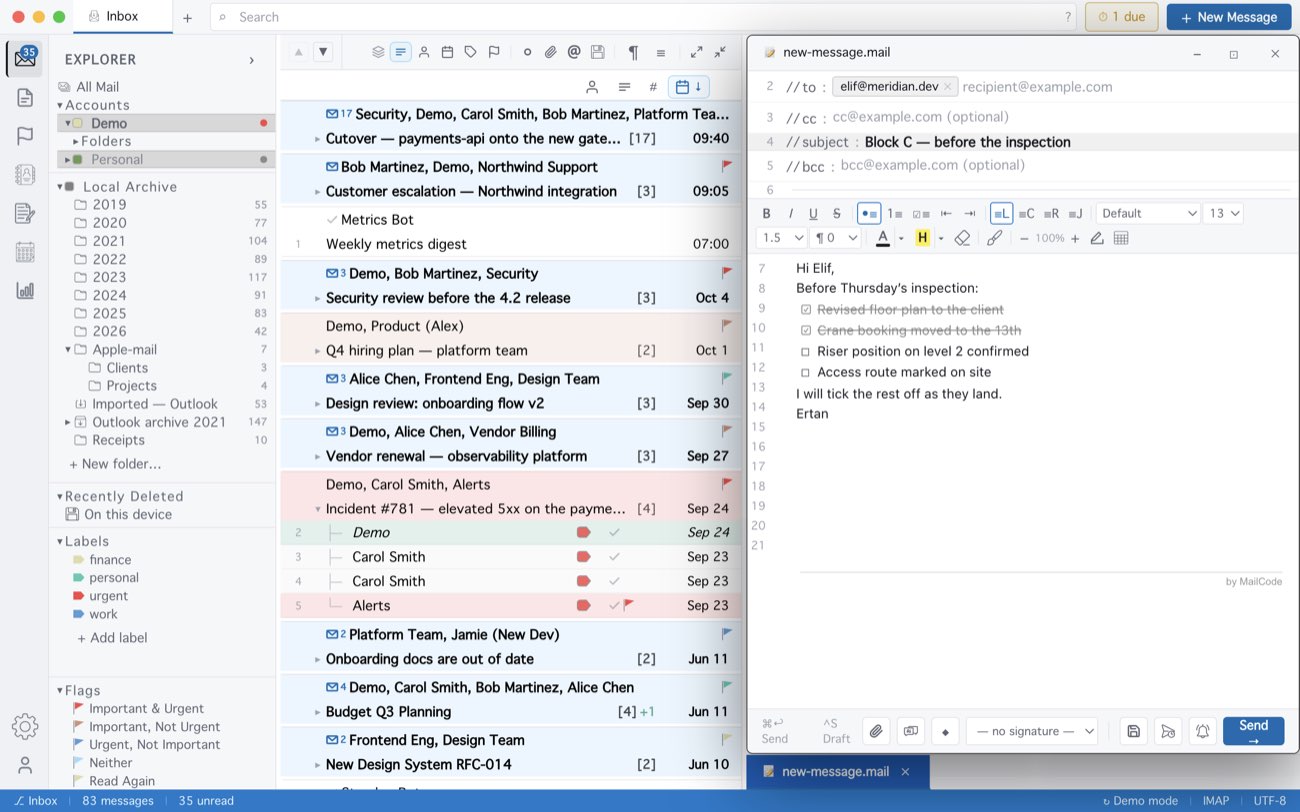
The boxes are ordinary characters, so every mail program shows them — but the recipient cannot tick them in their copy. Replying to a mail with a checklist, you can tick its items in the quote of your reply, which is a quick way to answer “done, done, not yet”.
MailCode is a mail client for Mac and Windows that keeps your mail in a searchable archive on your own disk. Free for 14 days.
Mac App Store Download for Windows