 MailCode
Years of mail, on your own disk.
MailCode
Years of mail, on your own disk.
MailCode
Years of mail, on your own disk.
MailCode
Years of mail, on your own disk.
Tips › Search
A conversation that has run for months is scattered across Inbox, Sent and the archive, sometimes under a reworded subject. Find Related turns one message’s subject into a search and gives it a tab of its own, leaving the list you were reading where it was.
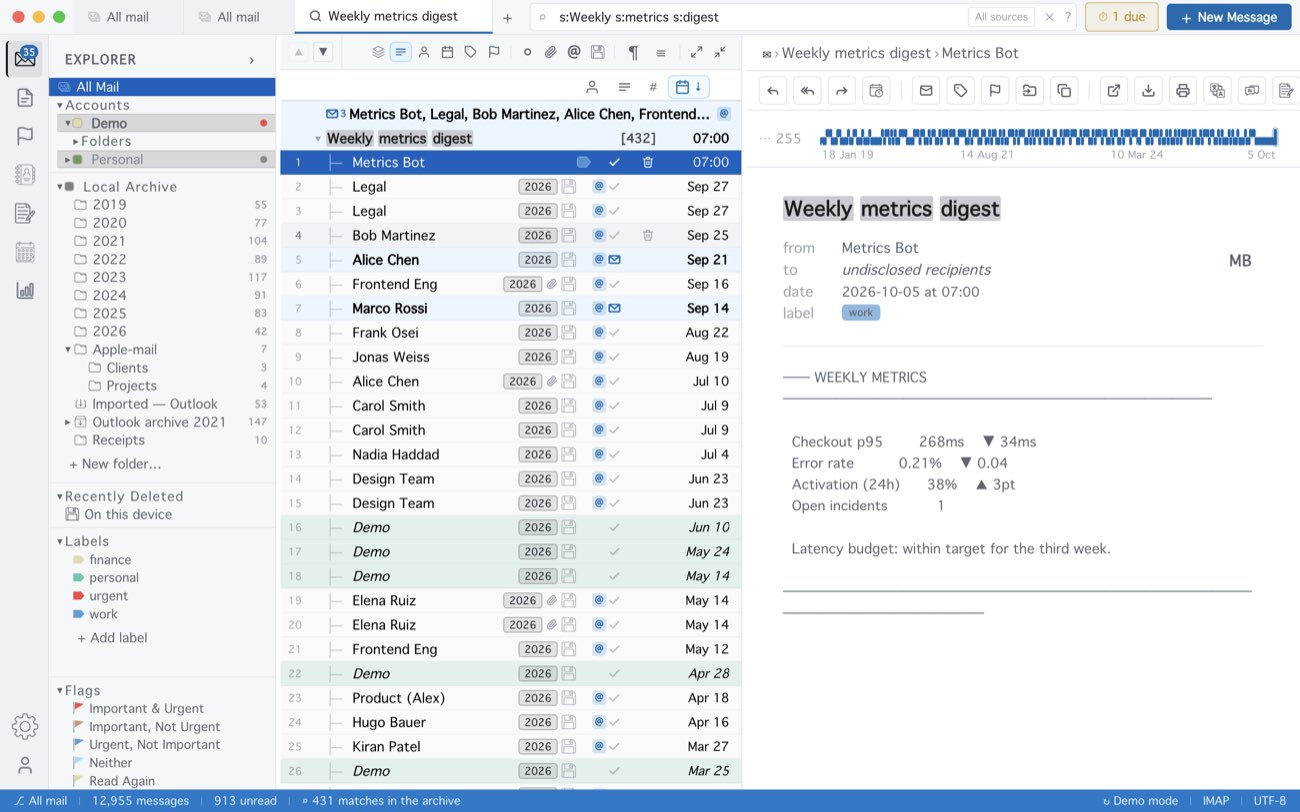
The search is the subject’s words, each its own s: token, so it also
finds a reply whose subject was shortened or added to — and it is in the box to edit. Asking
again for the same subject goes back to the tab already open.
MailCode is a mail client for Mac and Windows that keeps your mail in a searchable archive on your own disk. Free for 14 days.
Mac App Store Download for Windows