 MailCode
Years of mail, on your own disk.
MailCode
Years of mail, on your own disk.
MailCode
Years of mail, on your own disk.
MailCode
Years of mail, on your own disk.
Tips › Search
Most mail search splits what you type into words and finds mail that has them anywhere. To find a phrase as it was written — a contract clause, a product name, a line you remember — put it in quotes.
b: for the message text:
b:"send amendment". The words must sit side by side, in that order.s: the same way: s:"budget review".s=:
s="Budget Q3 Planning" finds that conversation and its replies — Re:,
Fwd: and punctuation are ignored, so does capitalisation.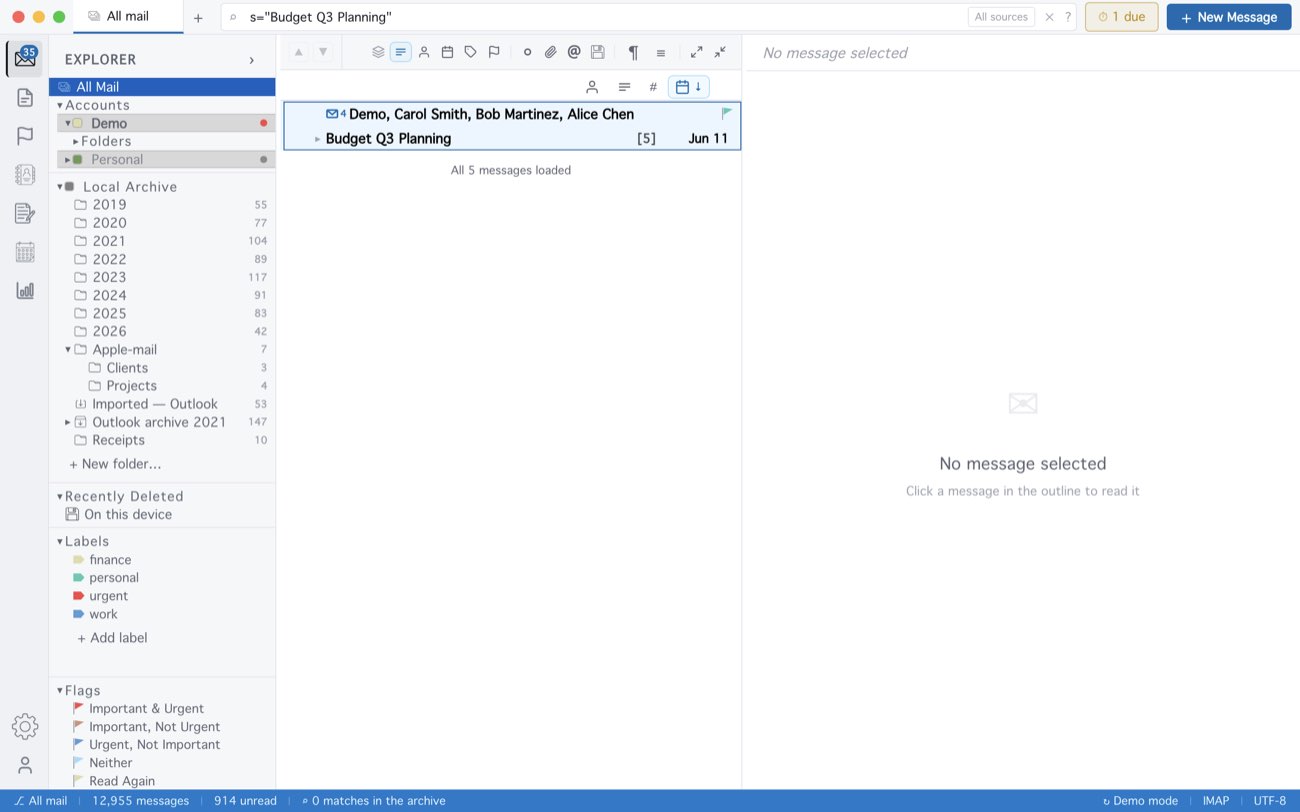
Quotes are also how a value with spaces stays together: s:New Design looks
for “New” in the subject and “Design” anywhere, s:"New Design" for the two
together. The last word of a phrase matches the start of a word, so
b:"spot instance" also finds “spot instances”. Loosen a phrase into words near
each other with ~: b:"send amendment"~5.
MailCode is a mail client for Mac and Windows that keeps your mail in a searchable archive on your own disk. Free for 14 days.
Mac App Store Download for Windows