 MailCode
Years of mail, on your own disk.
MailCode
Years of mail, on your own disk.
MailCode
Years of mail, on your own disk.
MailCode
Years of mail, on your own disk.
Tips › Accounts
Most Mac mail apps, Apple Mail among them, show Gmail labels as folders, and filing a message in one is the only way to label it. In MailCode a Gmail label stays a label: apply one here and it appears in Gmail on the web and on your phone; apply one there and it appears here.
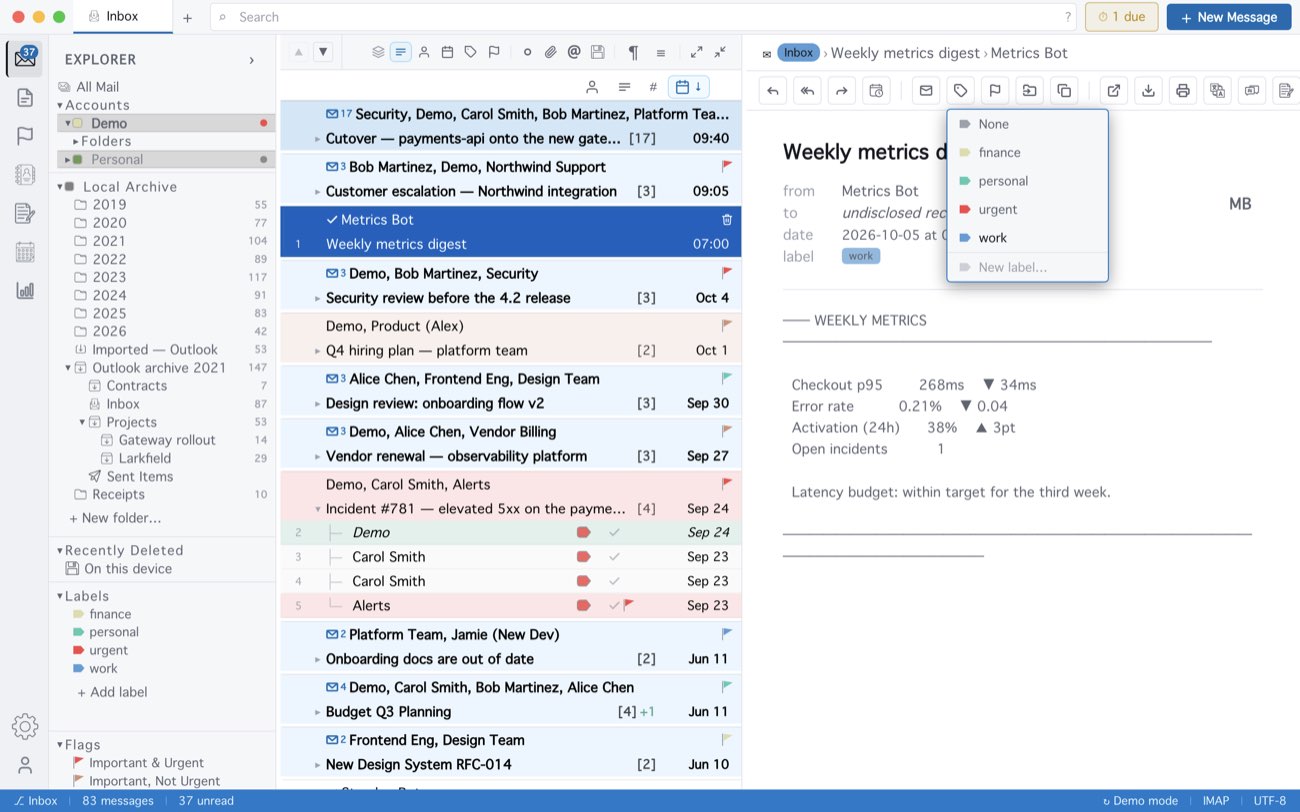
MailCode keeps one label per conversation; Gmail allows several per message, so a conversation shows the first, and the others stay reachable as folders. A new label is written to Gmail the first time you apply it, and deleting one in MailCode takes it off the mail but leaves the label in your Google account. A sublabel made here reaches Gmail as a label of its own, not nested. Other IMAP providers have nowhere to keep a label, so theirs stay on this device.
MailCode is a mail client for Mac and Windows that keeps your mail in a searchable archive on your own disk. Free for 14 days.
Mac App Store Download for Windows