 MailCode
Years of mail, on your own disk.
MailCode
Years of mail, on your own disk.
MailCode
Years of mail, on your own disk.
MailCode
Years of mail, on your own disk.
Tips › Import
An .ost is the copy Outlook keeps of an Exchange or Microsoft 365
mailbox. Once the account is gone — a closed company mailbox, an old laptop — Outlook will
not open it any more. MailCode reads it the way it reads a PST, and gives you its mail,
folders and attachments to search.
.ost somewhere you can reach it. On Windows, Outlook keeps it in
%LOCALAPPDATA%\Microsoft\Outlook; close Outlook first if it is still using
the file..ost as well as .pst..ost ending; change it
to whatever you will look for later.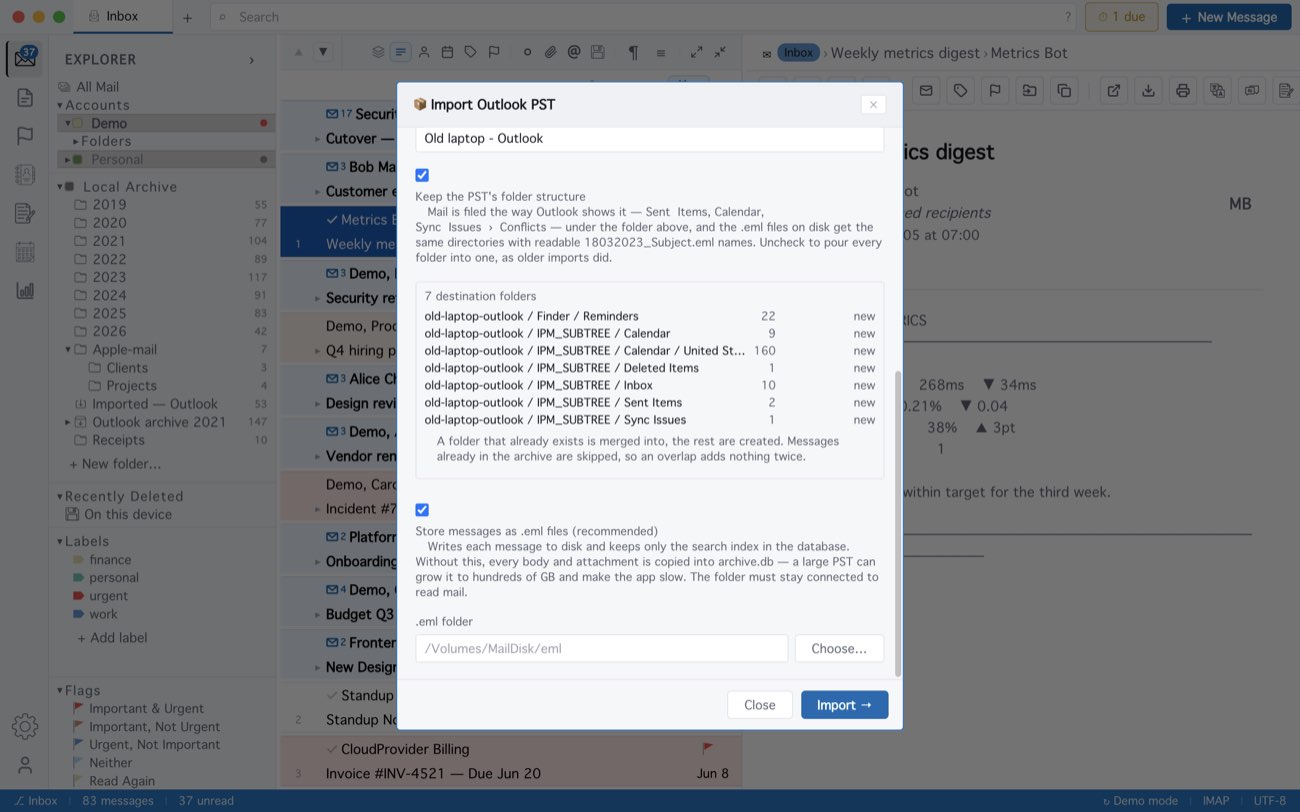
An .ost keeps its mail one level deeper than a PST, so the folders arrive under
IPM_SUBTREE — Inbox, Sent Items and Calendar sit there. You get what Outlook had
downloaded: an .ost set to keep the last year holds the last year. A file Outlook encrypted
is refused with PST is encrypted, and one that is damaged or not an Outlook data file
reads Invalid file header. Outlook for Mac does not use .ost files; it exports
.olm, which MailCode does not read.
MailCode is a mail client for Mac and Windows that keeps your mail in a searchable archive on your own disk. Free for 14 days.
Mac App Store Download for Windows