 MailCode
Years of mail, on your own disk.
MailCode
Years of mail, on your own disk.
MailCode
Years of mail, on your own disk.
MailCode
Years of mail, on your own disk.
Tips › Organising
Some senders should never sink below the newsletters. A focus rule pins their mail to a strip at the top of whatever folder you open — without moving it, marking it or labelling it.
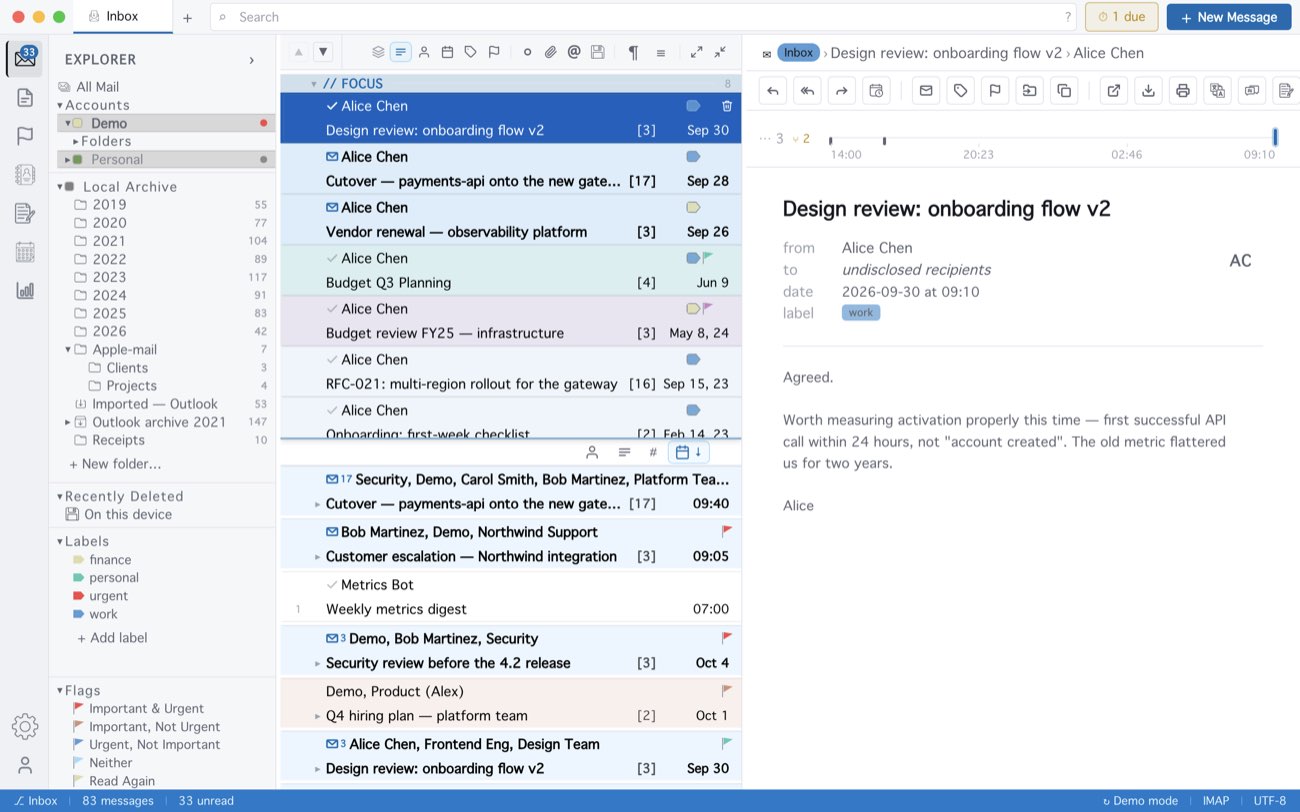
With Show in Focus area as the only action, the conditions also offer Flag, Due date and Label — a focus strip of everything overdue, say. Click the strip’s header to fold it to one line. The mail stays in the list below as well; a focus rule lives on this computer and is never written to the mail server. Settings ▸ Appearance ▸ Focus area rows sets how tall the strip grows before it scrolls.
MailCode is a mail client for Mac and Windows that keeps your mail in a searchable archive on your own disk. Free for 14 days.
Mac App Store Download for Windows