 MailCode
Years of mail, on your own disk.
MailCode
Years of mail, on your own disk.
MailCode
Years of mail, on your own disk.
MailCode
Years of mail, on your own disk.
Tips › Compose
Answering one question in a long mail, you rarely want the whole thing quoted back. Select the part you are answering before you reply, and MailCode quotes only that.
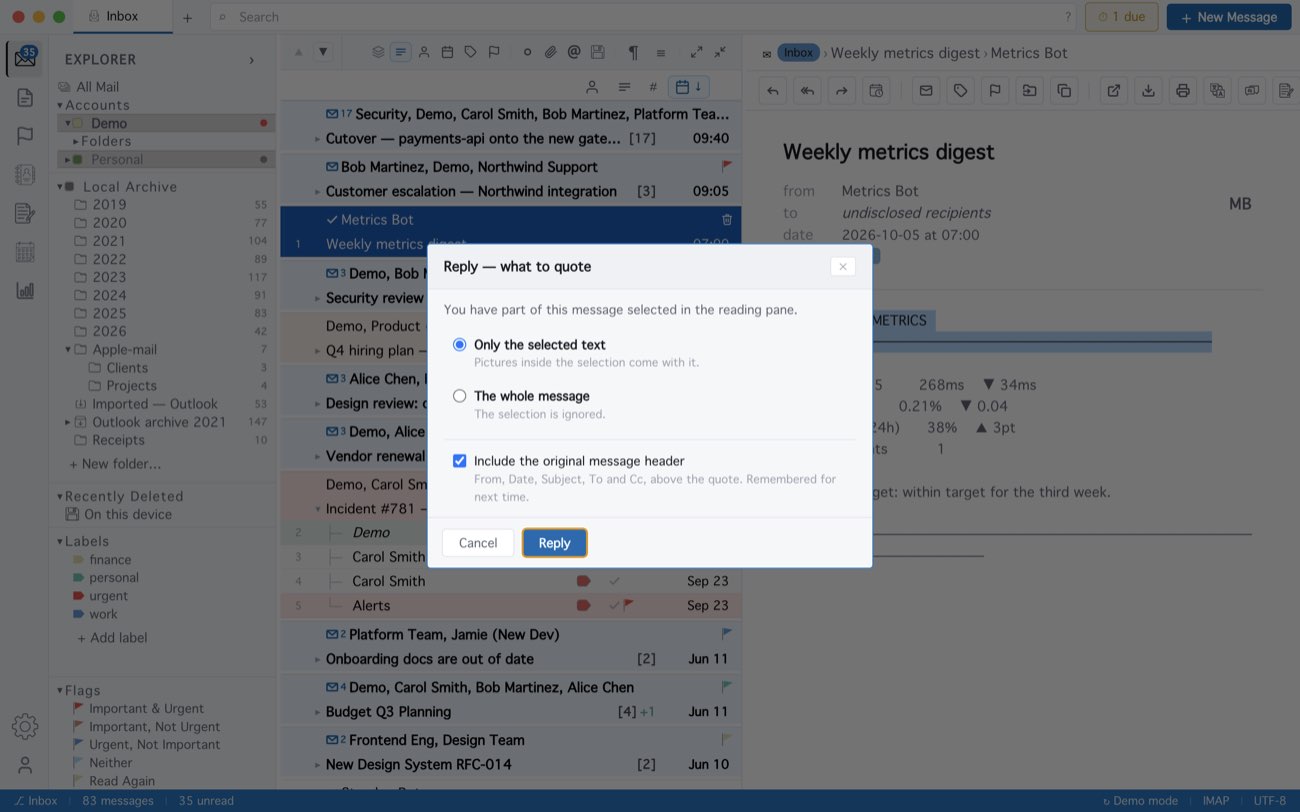
With nothing selected, Reply quotes the whole message as usual, and selecting nearly all of it asks nothing. In the composer the quote bar’s header / no header switch adds or removes the header block afterwards.
MailCode is a mail client for Mac and Windows that keeps your mail in a searchable archive on your own disk. Free for 14 days.
Mac App Store Download for Windows