 MailCode
Years of mail, on your own disk.
MailCode
Years of mail, on your own disk.
MailCode
Years of mail, on your own disk.
MailCode
Years of mail, on your own disk.
Tips › Storage
Import the same PST twice, or an export of mail you also sync, and every message is there twice. MailCode finds the copies across every account and import, shows you each group, and removes only what you tick.
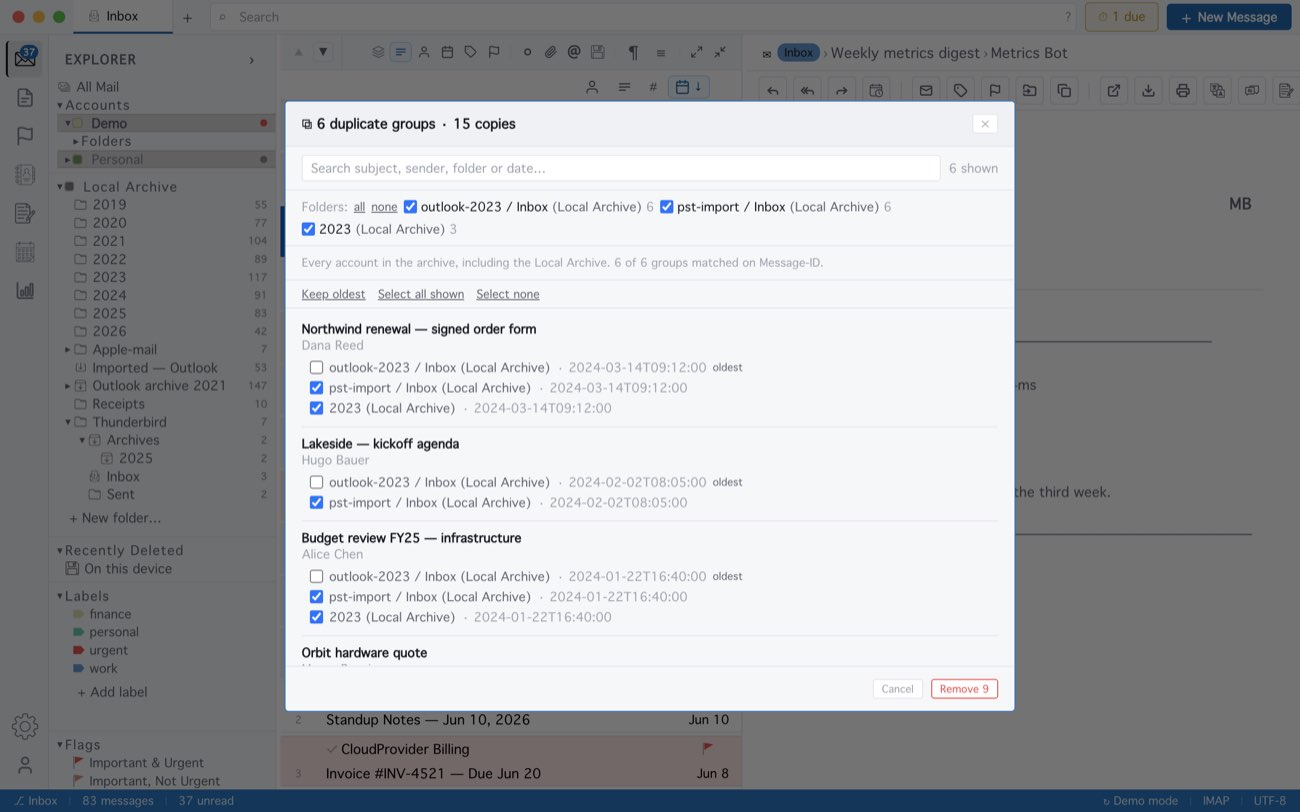
Two copies match on their Message-ID, or on sender, subject and a time within two minutes. Removing is permanent — copies do not go to Recently Deleted, and .eml files on disk are left alone. Select all shown ticks every copy, the oldest too, so use Keep oldest to keep one. After a scan, the copies wear a ⧉ badge in the list until you clear the marks.
MailCode is a mail client for Mac and Windows that keeps your mail in a searchable archive on your own disk. Free for 14 days.
Mac App Store Download for Windows