 MailCode
Years of mail, on your own disk.
MailCode
Years of mail, on your own disk.
MailCode
Years of mail, on your own disk.
MailCode
Years of mail, on your own disk.
Tips › Compose
Write it tonight, have it arrive at nine tomorrow — at the top of someone’s morning, or in their working hours rather than yours. MailCode schedules mail from any account: Exchange, Microsoft 365, Gmail or any other IMAP.
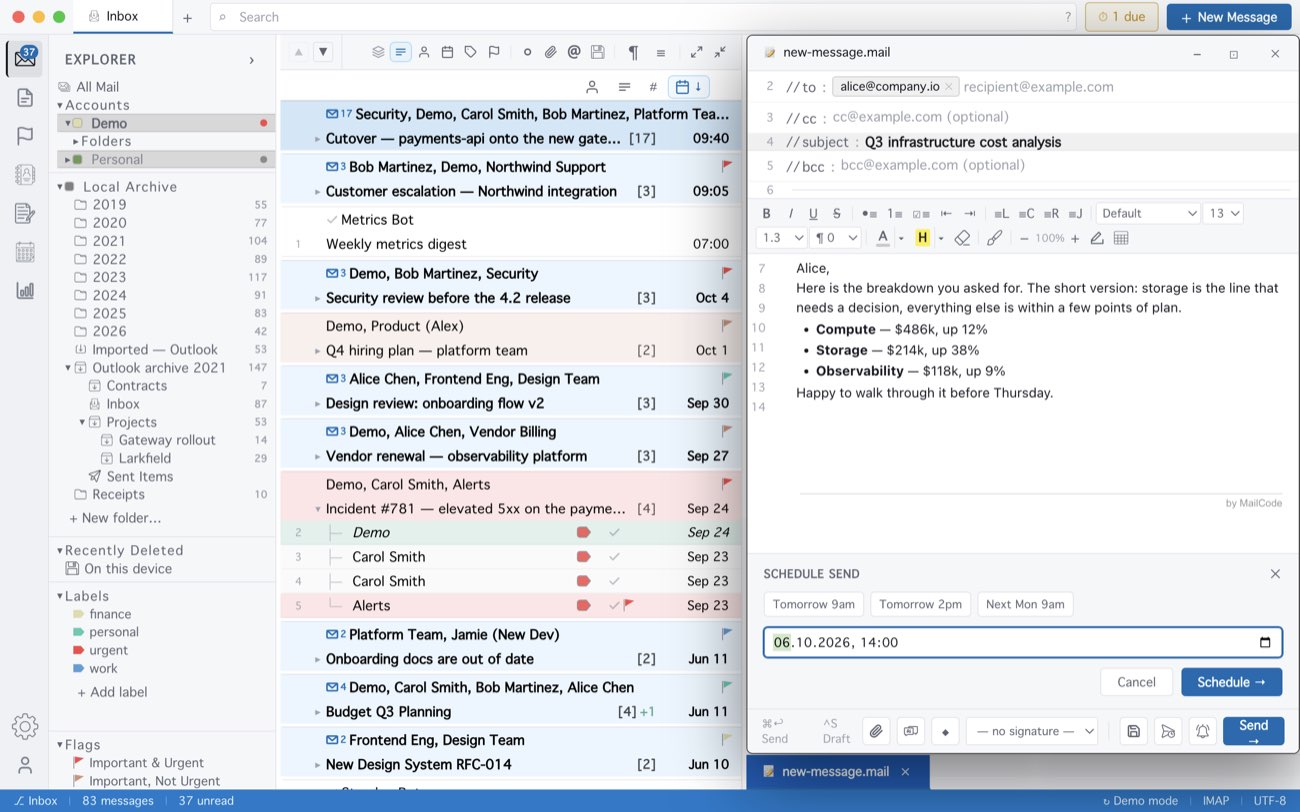
On a Mac, scheduled mail goes out while MailCode is running; if it is closed at the time, the message goes as soon as you open it. Turn on Settings ▸ Sync ▸ Start at login and MailCode opens hidden when you log in, so a restart does not hold anything back. On Windows a background sender delivers it even with MailCode closed, and tells you when it has. A scheduled message cannot be edited — cancel it and write it again.
MailCode is a mail client for Mac and Windows that keeps your mail in a searchable archive on your own disk. Free for 14 days.
Mac App Store Download for Windows