 MailCode
Years of mail, on your own disk.
MailCode
Years of mail, on your own disk.
MailCode
Years of mail, on your own disk.
MailCode
Years of mail, on your own disk.
Tips › Reading
Pasting a mail into a translator loses its layout, and the translation is gone when the tab closes. MailCode translates the mail where it stands — tables, lists, links and colours kept — and still has the translation the next time you open the message.
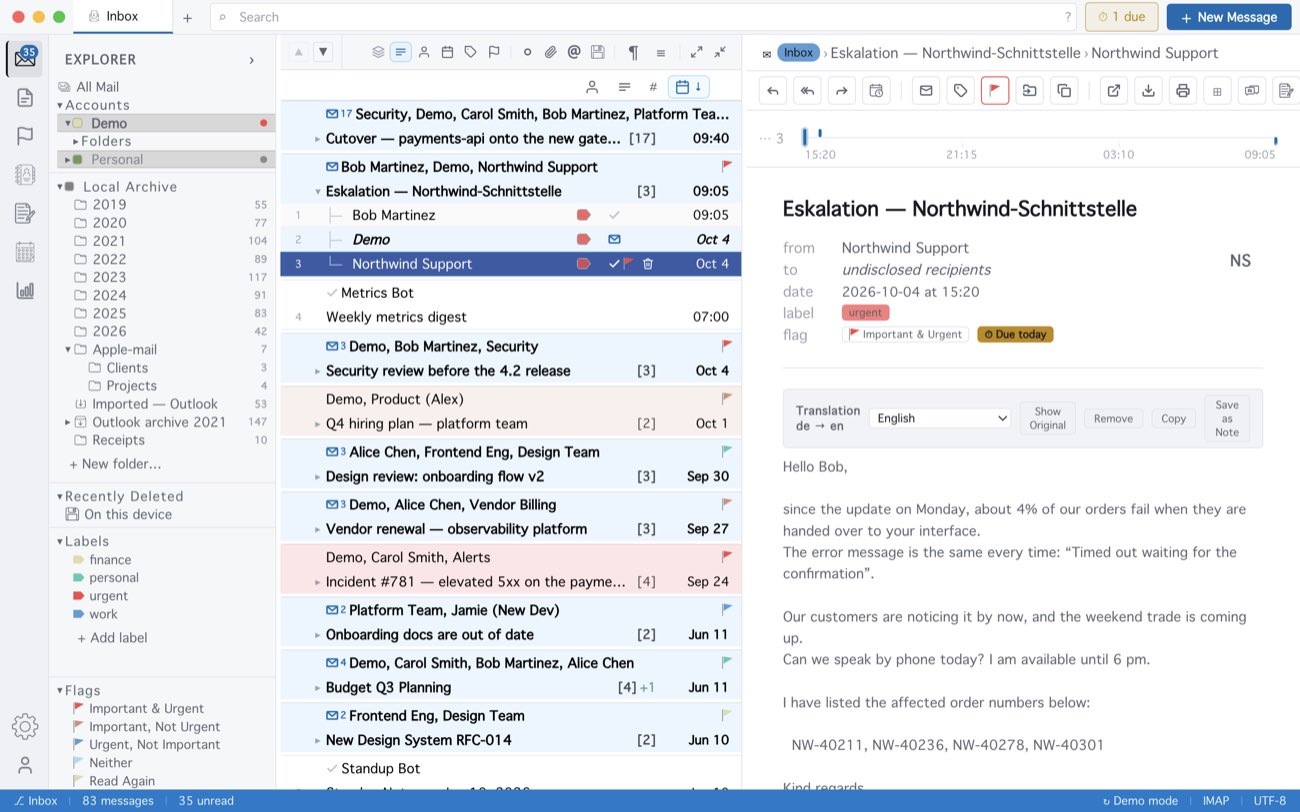
Translation goes through Google’s free translation service, so it needs an internet connection but no account or key. The header — from, to, subject — is left as it is, and the mail itself is never changed. A very long mail is translated up to 40,000 characters, and the bar says the rest is still in its own language. The last 120 messages you translated keep their translations.
MailCode is a mail client for Mac and Windows that keeps your mail in a searchable archive on your own disk. Free for 14 days.
Mac App Store Download for Windows