 MailCode
Years of mail, on your own disk.
MailCode
Years of mail, on your own disk.
MailCode
Years of mail, on your own disk.
MailCode
Years of mail, on your own disk.
Tips › Compose
Writing to someone who reads both languages, or to a team that does not share one, the clearest mail carries both. Write in your language; MailCode puts the translation below it or beside it, in a colour of its own.
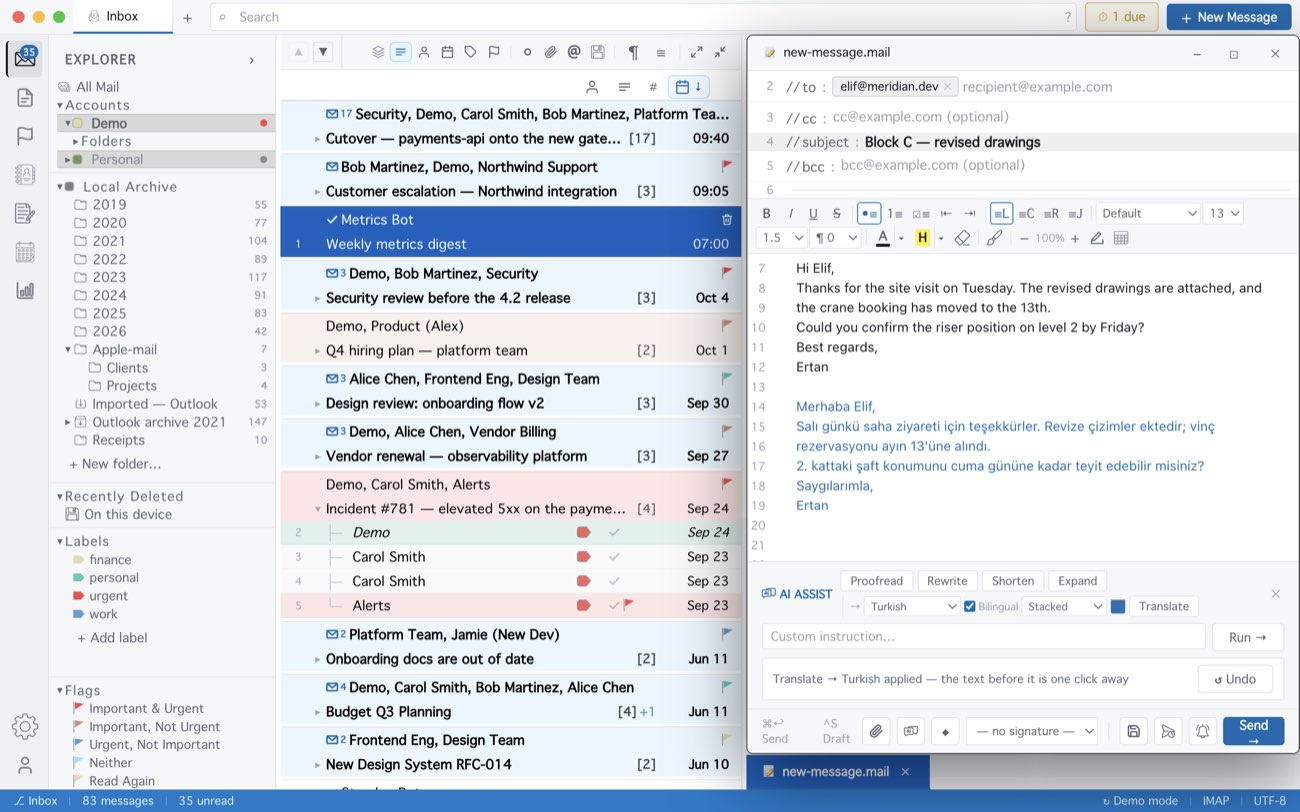
No AI key is needed: short texts go through Google’s free translation service, longer ones to your own AI provider if you have set one up. Side by side is built as a table, which keeps the two languages level in every mail program, Outlook included. If you answered inside the quote, your own comments there are translated too, each under its line.
MailCode is a mail client for Mac and Windows that keeps your mail in a searchable archive on your own disk. Free for 14 days.
Mac App Store Download for Windows