 MailCode
Years of mail, on your own disk.
MailCode
Years of mail, on your own disk.
MailCode
Years of mail, on your own disk.
MailCode
Years of mail, on your own disk.
Tips › Organising
An inbox sorted by date mixes the mail that needs you with the mail that merely arrived. MailCode’s Summary sorts today’s mail by what it wants from you — starting with the conversations where someone wrote to you and is waiting.
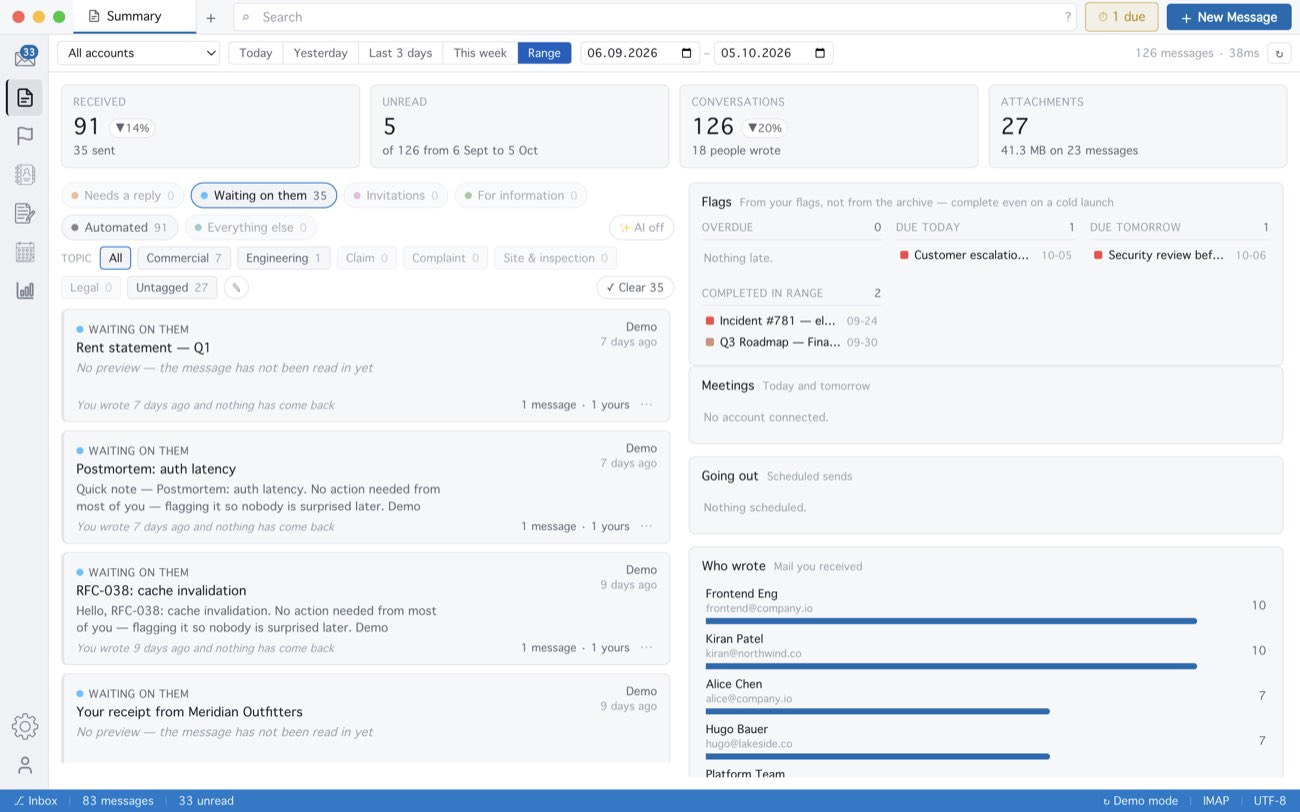
Most of the sorting is not a guess: who spoke last, whether you were in To or in Cc, whether an invitation is attached and whether you have ever answered that sender are facts in your mail, read on your own computer. Only what is left over can go to an AI provider, and only if you set one up — the ✨ AI button says whether it is on. Right-click a card to file it under another category.
MailCode is a mail client for Mac and Windows that keeps your mail in a searchable archive on your own disk. Free for 14 days.
Mac App Store Download for Windows