 MailCode
Years of mail, on your own disk.
MailCode
Years of mail, on your own disk.
MailCode
Years of mail, on your own disk.
MailCode
Years of mail, on your own disk.
Tips › Organising
You sent the proposal on Monday; if nothing has come back by Thursday, you want to know. MailCode can remind you on a day, or at an exact time, and keeps a list of every conversation where the last word was yours.
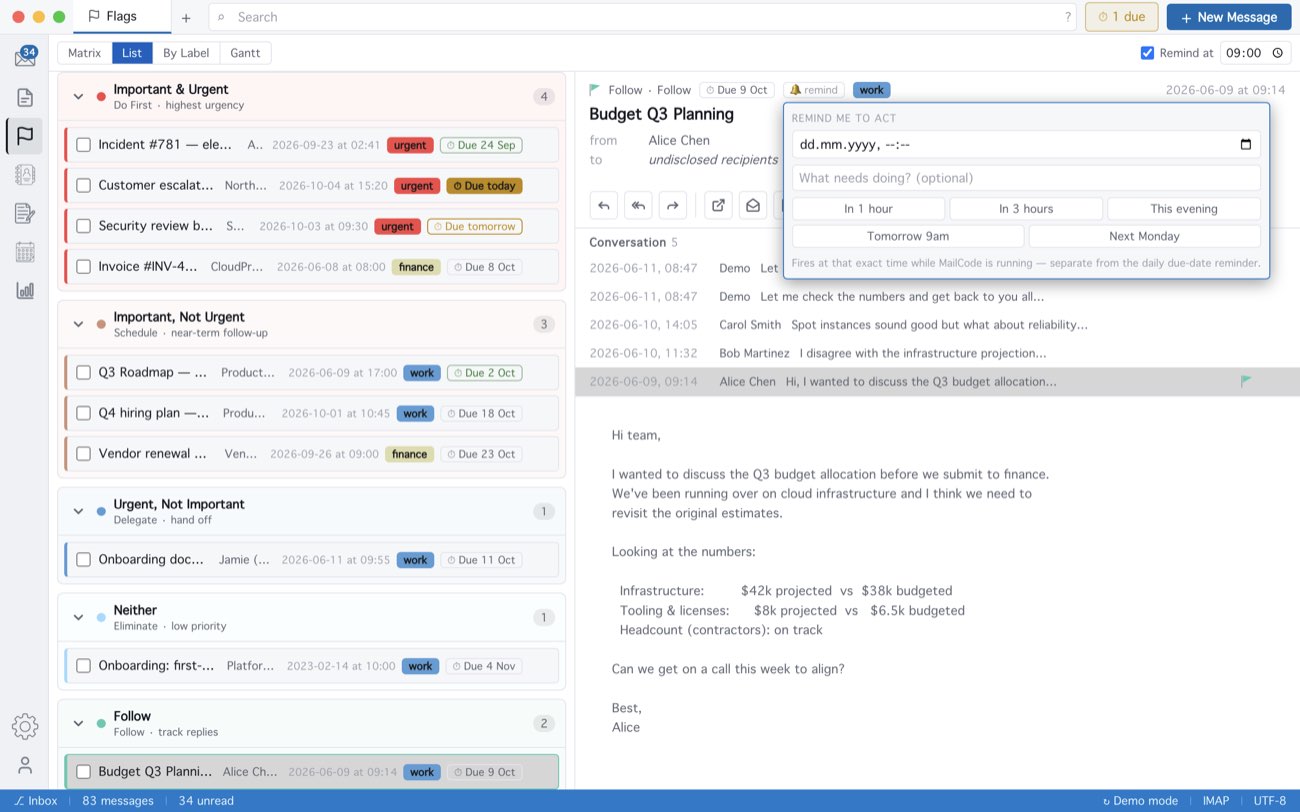
The morning reminder comes at the time set beside Remind at in the Flags view — 09:00 unless you change it — and a badge beside New Message counts what is due. A 🔔 alert fires while MailCode is running. Flags stay on this computer; on a Gmail or IMAP account the message is starred on the server too.
MailCode is a mail client for Mac and Windows that keeps your mail in a searchable archive on your own disk. Free for 14 days.
Mac App Store Download for Windows